File Support
Our vast library of lightning-fast imports and exports are unrivaled. We are constantly improving based on customer needs. We notably have full support for DWGs, DXFs, and OBJs, as well as easy support for ASCII workflows.
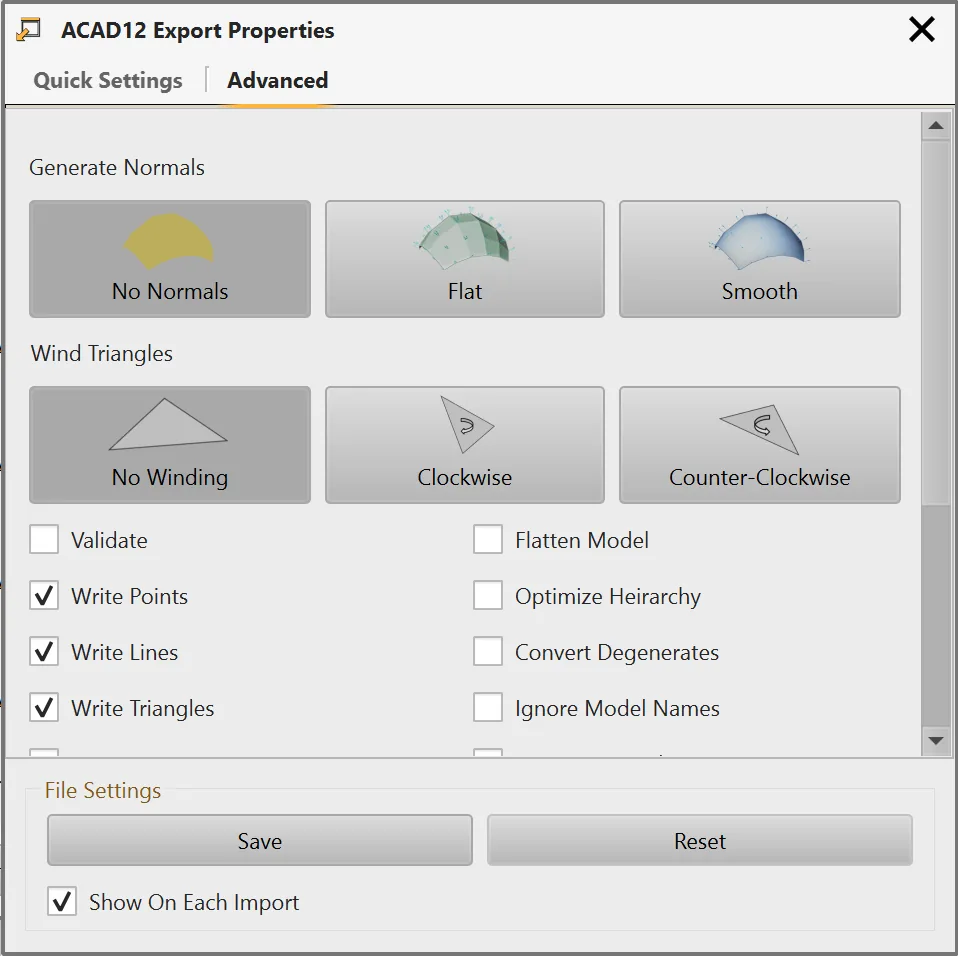
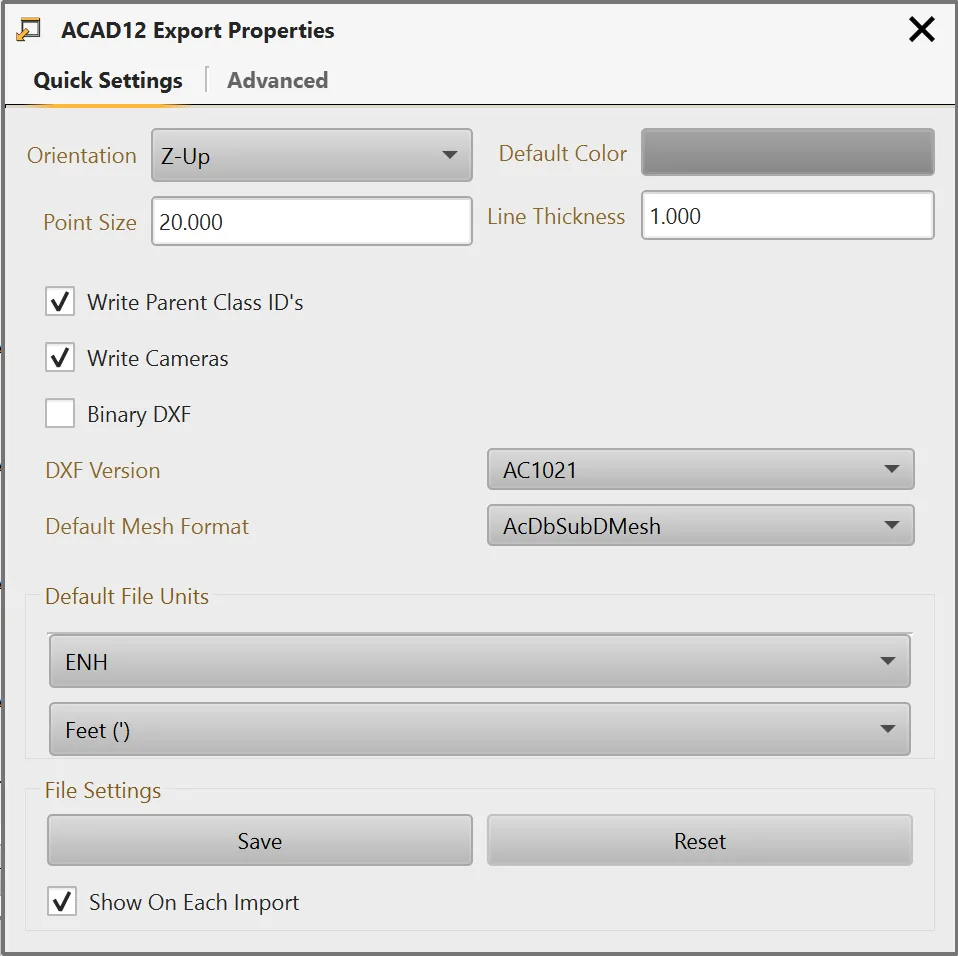
When Exporting we have many options to make it easy to adjust features, units, and options tailored to make each export easy and convenient for your workflow.
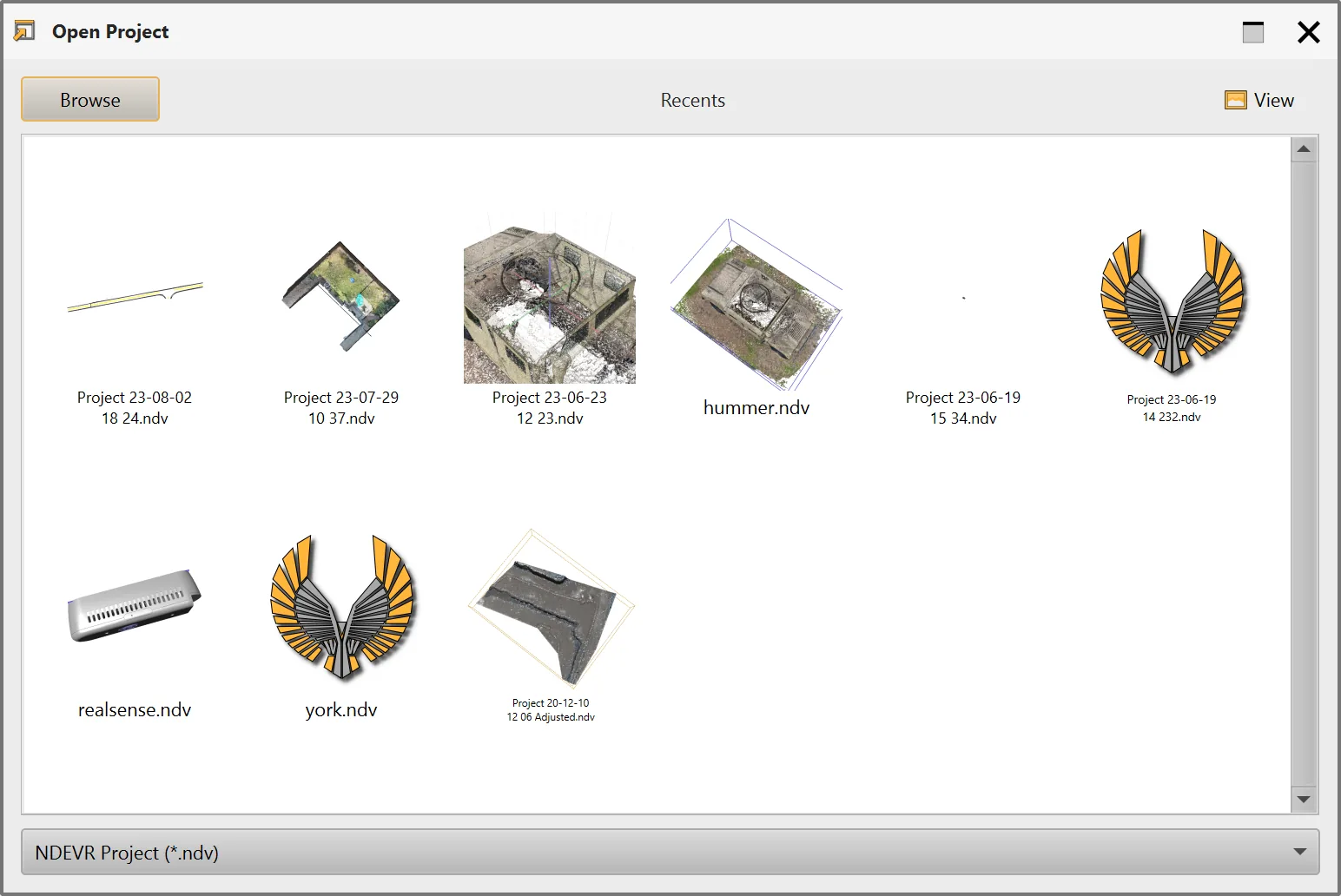
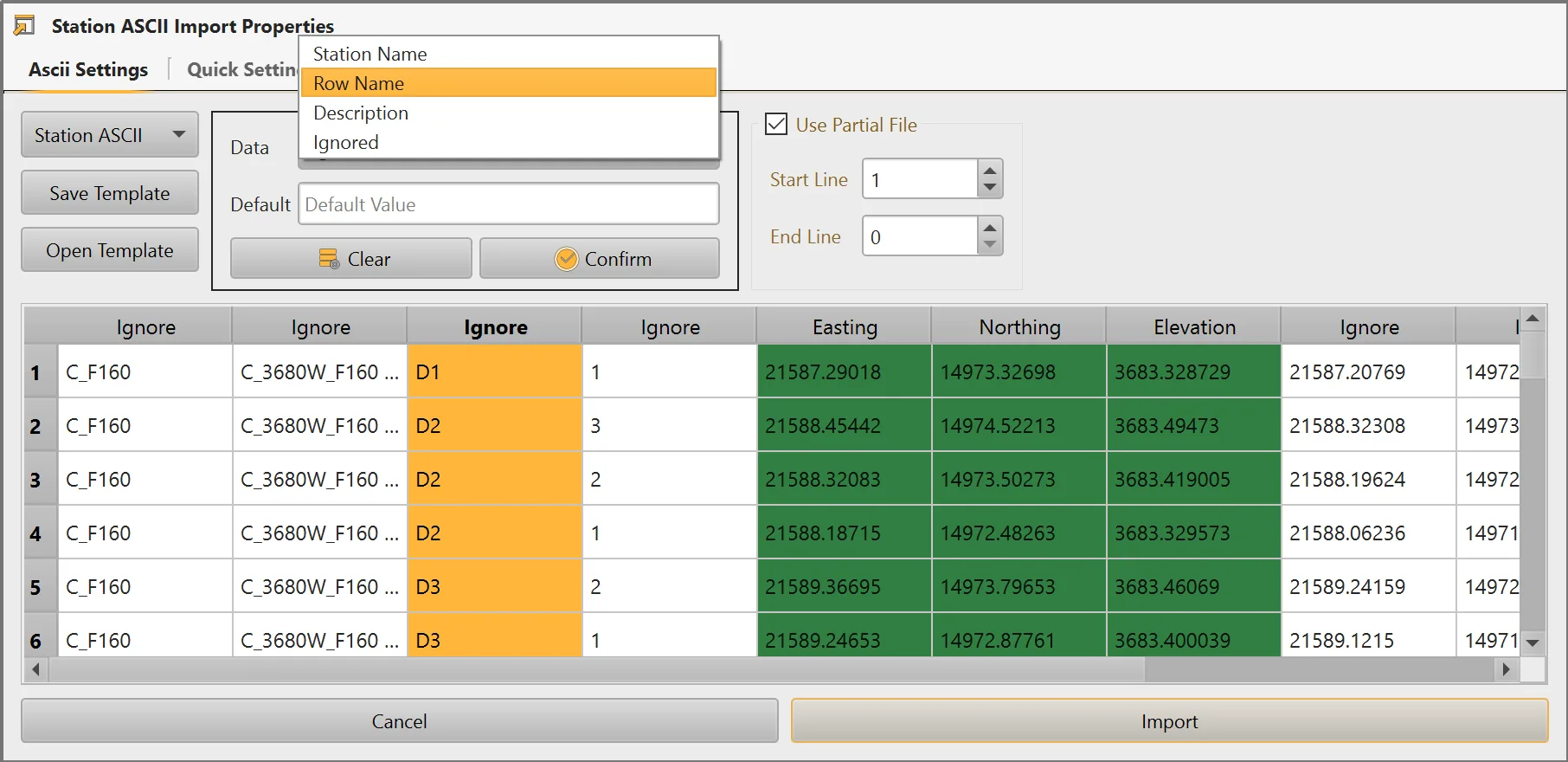
Supported Formats
An extensive list of all our supported formats.
Common Interchange Formats
- Autodesk ( .dwg )
- Autodesk ( .dxf )
- Autodesk ( .fbx )
- Collada ( .dae )
- glTF ( .gltf, .glb )
- Blender 3D ( .blend )
- 3ds Max 3DS ( .3ds )
- 3ds Max ASE ( .ase )
- Wavefront Object ( .obj )
- Industry Foundation ( .ifc )
- XGL ( .xgl,.zgl )
- Stanford Polygon Library ( .ply )
- *AutoCAD DXF ( .dxf )
- LightWave ( .lwo )
- LightWave Scene ( .lws )
- Modo ( .lxo )
- Stereolithography ( .stl )
- DirectX X ( .x )
- AC3D ( .ac )
- Milkshape 3D ( .ms3d )
- * TrueSpace ( .cob,.scn )
Other FIle Formats
- ROS URDF ( .urdf )
- Sketchup ( .skp )
- BlitzBasic 3D ( .b3d )
- Quick3D ( .q3d,.q3s )
- Neutral File Format ( .nff )
- Sense8 WorldToolKit ( .nff )
- Object File Format ( .off )
- PovRAY Raw ( .raw )
- Terragen Terrain ( .ter )
- 3D GameStudio (3DGS) ( .mdl )
- Carlson Model ( .mdl )
- Carlson TIN ( .tin )
- Carlson GRD ( .grd )
- 3D GameStudio (3DGS) Terrain ( .hmp )
- Izware Nendo ( .ndo )
Special Formats
- pdf ( .pdf )
- MS Excel ( .xlxs )
- MS Word ( .docx )
- Image ( .bmp, jpg, png, tiff, etc. )
Point Cloud Formats
- LASer ( .las )
- LAZip ( .laz )
- ASTM E57.04 ( .e57 )
- Ascii ( .txt, .csv )
- GeoSLAM ( .geoslam )
Coordinate Formats
- Keyhole Markup Language ( .kml )
- Compressed Keyhole Markup Language ( .kmz )
- Shape File ( .shp )
- IREDES ( .ird )
Motion Capture Formats
- Biovision BVH ( .bvh )
- * CharacterStudio Motion ( .csm )
Graphics Engines Formats
- Ogre XML ( .xml )
- Irrlicht Mesh ( .irrmesh )
- * Irrlicht Scene ( .irr )
Game File Formats
- Quake I ( .mdl )
- Quake II ( .md2 )
- Quake III Mesh ( .md3 )
- Quake III Map/BSP ( .pk3 )
- * Return to Castle Wolfenstein ( .mdc )
- Doom 3 ( .md5* )
- *Valve Model ( .smd,.vta )
- *Open Game Engine Exchange ( .ogex )
- *Unreal ( .3d )
Mining Formats
- Open Mining Foundation ( .omf )
- RockWorks ( .rcl )
- Quarry6 ( .phd )
- QuarryX ( .qph )
- DTH ( .dth )
- Block Model ( .blk )
Specific Format Information
A list of common options unique to certain export formats
DXF/DWG
The DXF (Drawing Exchange Format) is a widely used file format for CAD data exchange, but it often presents challenges due to inconsistencies in how different programs implement the standard. While DXF aims to facilitate interoperability, not all software adheres to the same interpretation of its specifications, leading to compatibility issues.
Variations in supported features, such as layer structures, text styles, or 3D object representations, can result in lost data, altered designs, or even not being able to view the file when transferring files between programs. To facilitate these differences, we offer a range of DXF export options.
DWG exports are generally optimized for faster speeds when using AutoCAD, but may not be supported by other programs. The proprietary nature of the format means we are slower to read/write to it than a binary DXF.
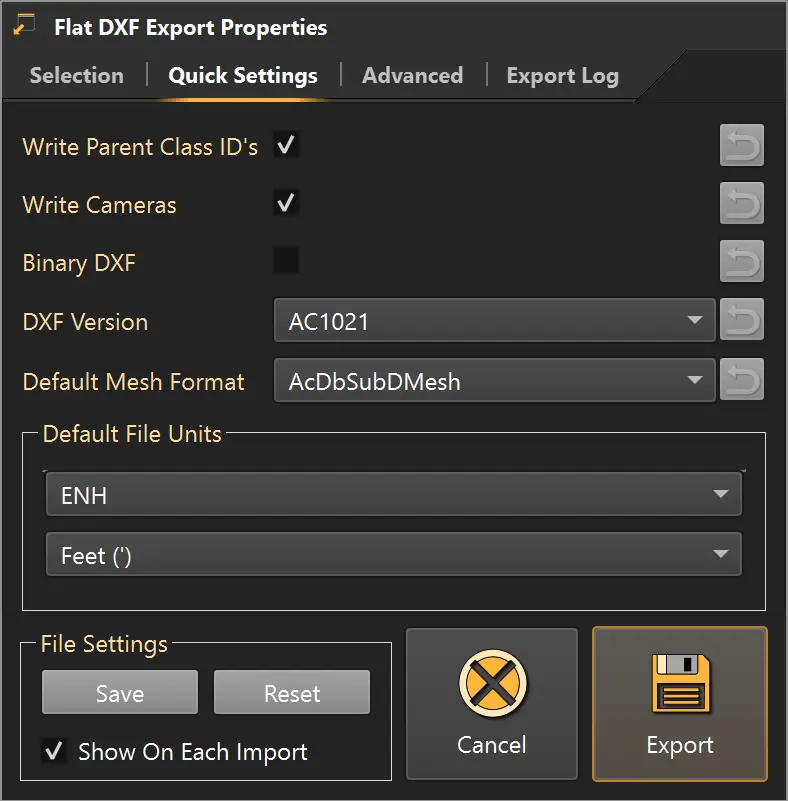
The Flat DXF file changes models into unique layers. While we lose the model hierarchy this is suitable for many CAD applications. When exporting DWG files this can be toggled via Advanced>Flatten Model
The AutoDesk DXF groups models into Block objects. This preserves the model hierarchy but may be too complex for many CAD programs or use-cases. When exporting DWG files this can be toggled via Advanced>Flatten Model
A few notable quick Settings for export.
- Write Parent Class ID’s This writes the class identifiers. Generally not necessary, but some programs need them. Toggling this off can reduce the size of the generated file.
- Write Cameras This writes the current viewport locations to the DXF. When opening the file in CAD, you may see things exactly as they currently look in the screen.
- Binary DXF This uses a binary format which is much faster, but is not supported by every CAD engine.
- DXF Version Different CAD engines support different versions. The newer the version the more data we can export, but some programs may not support it.
- Default Mesh Format Meshes can be represented in a few different ways in CAD. They may form outlines or solids.
OBJ/DAE/STL
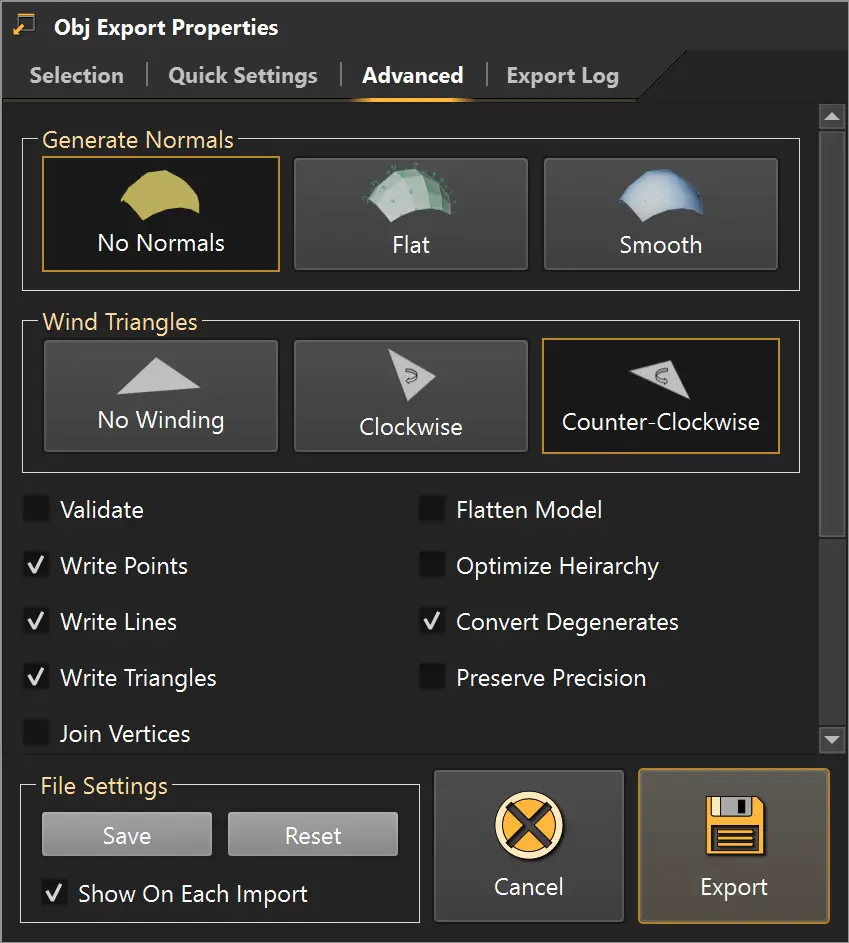
There are many formats that are designed for interoperability with visual programs. Some common settings:
- Generate Normals Normal mapping can be used to make models look more realistic with lighting.
- Wind Triangles Many programs use the winding of a triangle to determine the front and back. Getting this wrong may make only the back part of triangles visible
Best Formats for Other Software
Below is a list of common software used with the NDEVR engine and recommended export or import settings that may apply. Please email support@ndevr.org for questions or information related to specific formats.
AutoCAD
Flat DXF
- Binary DXF: Checked
- DXF Version: AC1021
Blender
Collada (.dae) Format
- Triangle Winding: Clockwise
- Orientation: Y-Up
Carlson BlastOps
DRL Format (.drl) for Boretrak related files
LAS Format (.las) for Point clouds
OBJ Format (.obj) for Surfaces
Carlson Office
Flat DXF
- Binary DXF: Unchecked
- DXF Version: AC1021
Deswik
Flat DXF
- Binary DXF: Unchecked
- DXF Version: AC1009
IntelliCAD
Flat DXF
- Binary DXF: Checked
- DXF Version: AC1021
Maya
Collada (.dae) Format
- Triangle Winding: Counter-Clockwise
- Orientation: Y-Up
MineSight 3D
ACAD12 (.dwg) Format
Flat DXF (.dxf)
- DXF Version: AC1009
- Binary DXF: Unchecked
Surpac
Flat DXF (.dxf)
- DXF Version: AC1009
- Binary DXF: Unchecked
Vulcan
Flat DXF
- Binary DXF: Unchecked
- DXF Version: AC1009
3D Studio
Collada (.dae) Format
- Triangle Winding: Counter-Clockwise
- Orientation: Y-Up