The Short Answer
Surfacing and Gaussian splatting are not competing versions of the same thing — they are different kinds of output. Surfacing gives you geometry: a mesh that says where every surface is, which you can measure, cut, model, and manufacture from. Gaussian splatting gives you appearance: a radiance field that reproduces exactly how a place looks — reflections, shine, and fuzzy detail included — but that has no clean, measurable surface underneath.
The one question that decides it
Are you going to measure or build from the result — volumes, sections, CAD, BIM, simulation, 3D printing? Use surfacing. Are you going to look at or move through it — a client walkthrough, a marketing fly-through, a heritage record? Use Gaussian splatting. If you answered “both,” you want both deliverables — see Use them together.
What Each One Is
Surfacing → a mesh
Surfacing connects the measured points of a point cloud into a continuous surface: a mesh of triangles between discrete vertices. The mesh is explicit geometry — every face has a known position, so the model knows where each surface actually is. That is what lets you take measurements, compute volumes, cut cross-sections, detect clashes, run simulations, push it into CAD or BIM, and 3D-print it. The trade-off: a bare mesh looks plain. Realistic color and material have to be added on top, and even then a mesh struggles with reflections, glass, and fine fuzzy detail.
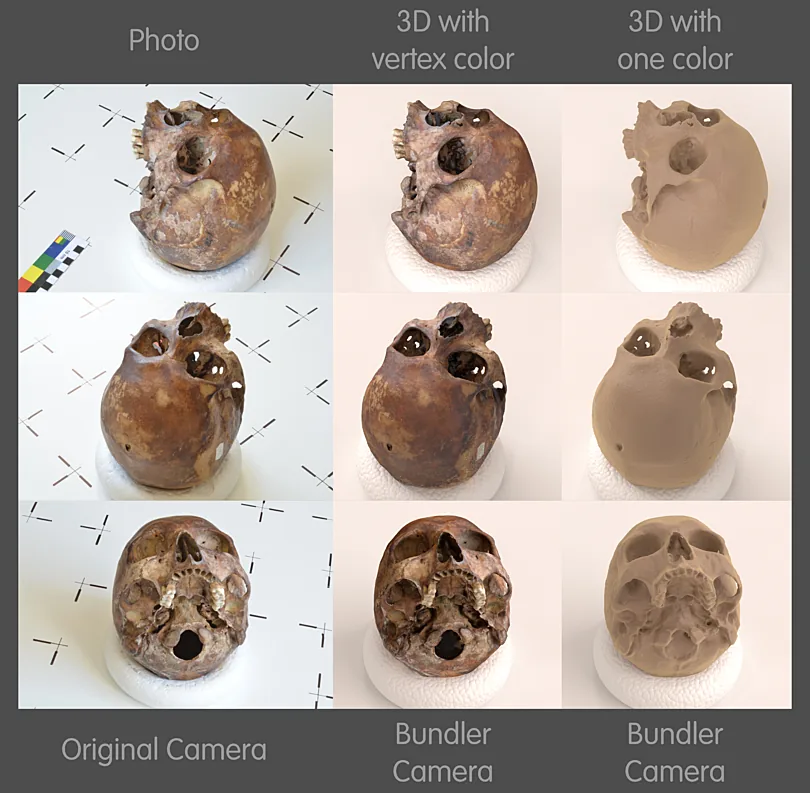
Gaussian splatting → a radiance field
Gaussian splatting does not try to find surfaces at all. It represents the scene as millions of soft, colored, semi-transparent 3D blobs (“Gaussians”) that, blended together, reproduce what a camera would see from any viewpoint — a radiance field. The result is strikingly photoreal and renders in real time, capturing reflections, transparency, foliage, and view-dependent shine that meshes handle poorly. The trade-off: there is no crisp surface to measure. The blobs encode look, not location, so a splat is the wrong tool the moment you need a number off it.
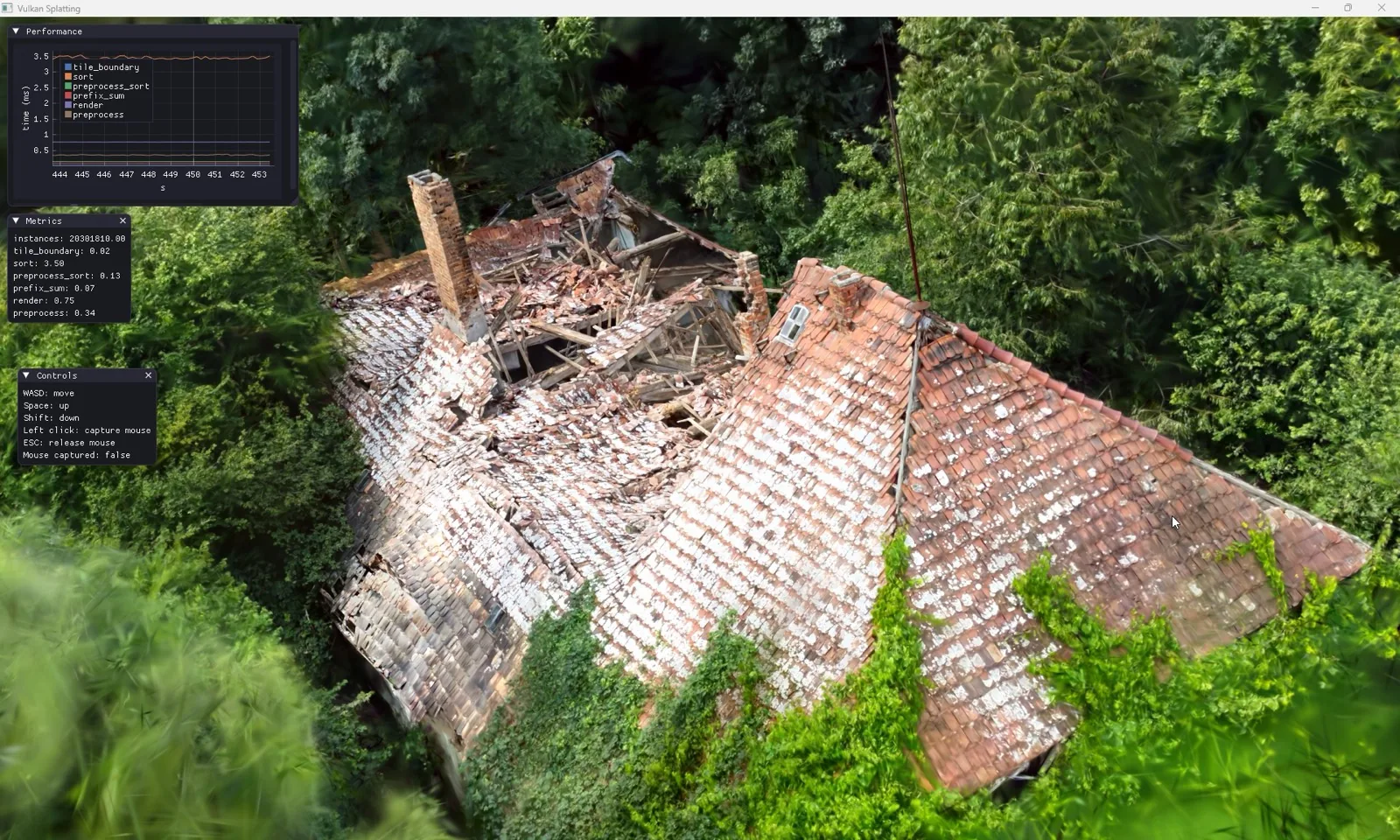
The Core Difference: Geometry vs Appearance
Strip away the details and one distinction explains all the others. Surfacing answers “where is the surface?” Gaussian splatting answers “what would I see from here?”
Because a mesh stores actual geometry, anything that depends on geometry just works: a distance is the distance between two vertices, a volume is the volume enclosed by the faces, a section is a clean cut through them. Because a splat stores appearance, none of that has a well-defined answer — there is no single surface to measure, only a soft field of blobs tuned to look right. Conversely, because a splat captures how light actually behaves at each point and angle, it nails reflections and shine and fuzz; a mesh has to fake all of that with textures and materials, and still cannot truly reproduce a mirror or a pane of glass.
This is also why one is not a drop-in replacement for the other. A Gaussian splat will not give you a measurable CAD model no matter how real it looks, and a mesh will not give you a photoreal mirror-and-foliage walkthrough no matter how much you texture it. They are different deliverables built for different jobs.
Side by Side
| Surfacing (mesh) | Gaussian splatting | |
|---|---|---|
| Captures | Surface geometry — where things are | Appearance — how the scene looks from each angle |
| Built from | A point cloud (LiDAR or photos) | Overlapping photos or video |
| Made of | Triangles & vertices (explicit geometry) | Millions of soft 3D Gaussian blobs |
| Measure / volumes / sections | Yes — that is the point | No — no defined surface to measure |
| CAD / BIM / simulation / 3D print | Yes | No |
| Photorealism | Needs textures; weak on reflections, glass, fuzz | Excellent — reflections, glass, foliage, shine |
| Real-time viewing | Yes — lightweight, runs anywhere | Yes — photoreal, needs a GPU + splat viewer |
| Editing / interop | Mature: edit, retopo, boolean, export everywhere | Emerging tools; viewer-specific; large files |
| Best for | Measurement, engineering, modeling, fabrication | Visualization, presentation, immersive walkthroughs |
When to Use Which
Reach for surfacing
- Measurements, volumes, sections
- CAD / BIM / as-built models
- Clash detection & simulation
- 3D printing or fabrication
- A clean, lightweight asset for any tool
Reach for splatting
- Client & marketing fly-throughs
- Immersive VR / AR walkthroughs
- Heritage & “as-it-looked” records
- Scenes with glass, water, foliage, shine
- The most lifelike possible record
Use both
- Survey & AEC deliverables
- Digital twins
- Heritage that must be measured
- Inspection + presentation together
- One site visit, two outputs
Put concretely: to compute how much fill a collapsed structure needs, surface the cloud and measure the mesh — a splat cannot give you the volume. To walk a client through that same structure exactly as it looked on site, build a Gaussian splat — a bare mesh will look lifeless next to it. The mistake that wastes a capture is using a beautiful splat where a measurable mesh was needed, or vice versa.
Use Them Together
For many real projects the answer is not either/or. The same drone flight or scan session can feed both pipelines: surface the data into a measurable mesh for the engineering, CAD, and volume work, and build a Gaussian splat from the imagery for the presentation and walkthrough. The mesh carries the numbers; the splat carries the experience. Increasingly, surveying, AEC, and heritage teams deliver exactly this pairing — accurate geometry to build from, and a photoreal scene to show.
To go deeper on either side, see Point Cloud Surfacing for how meshes are built and which surfacing method to use, and What is Gaussian Splatting? for how splats are trained and rendered.