Your encrypted world, now in any browser.
OWL’s new edition brings client-side-decrypted (CSD) resource and chat content to the web — encrypted before upload and decrypted by an authorized client. Public downloads and public Sites use different, explicit trust boundaries.
CSD payloads with client-held keys are zero-knowledge with respect to the provider · desktop, web and mobile.
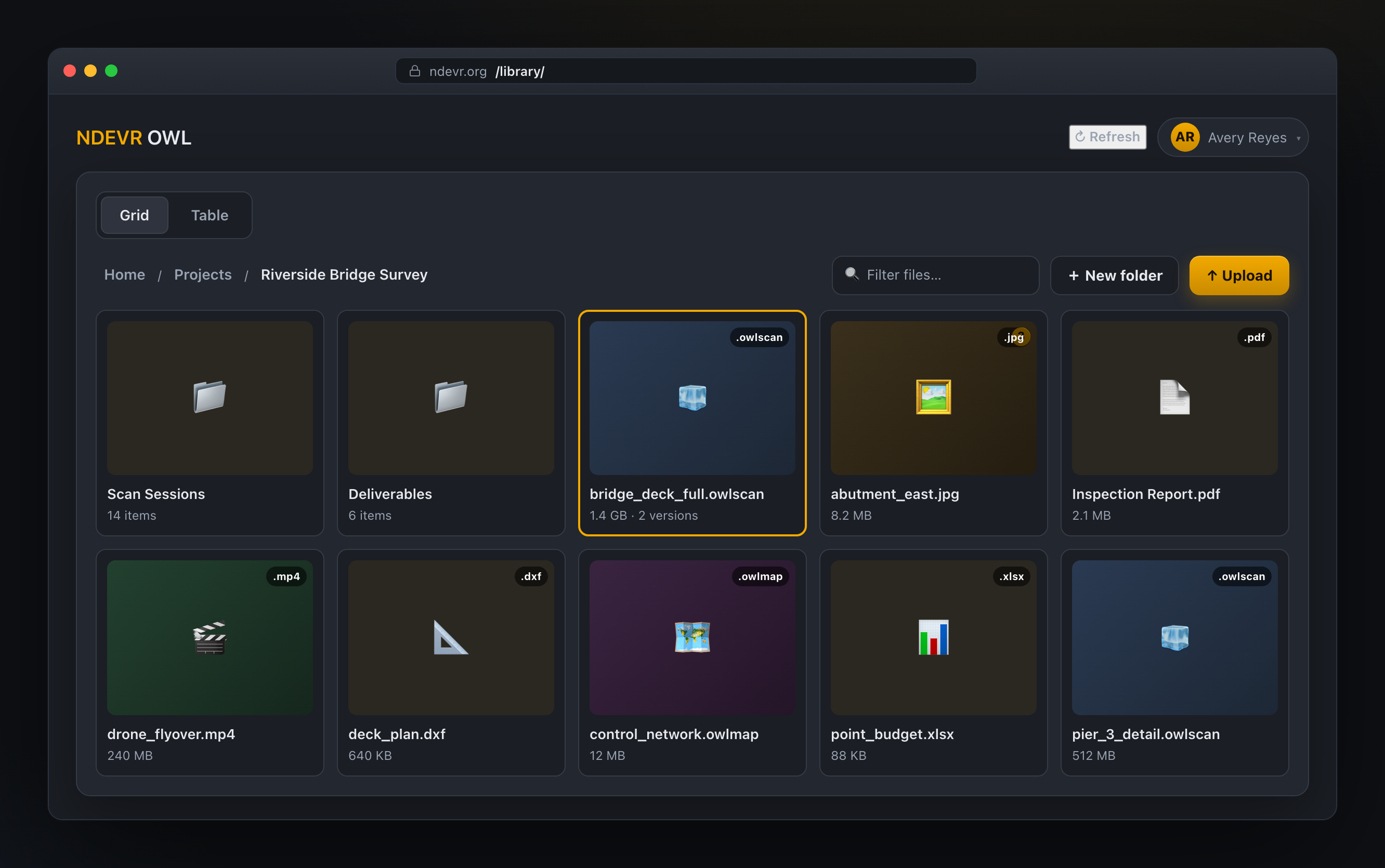
Every file, every version — opened right in the browser.
Browse folders, drop files in to upload, and open scans, images, video, PDFs and docs without downloading a thing. In CSD with client-held decryption keys, payload bytes are decrypted on your authorized device and the server receives no usable content key.
- ✓ Grid & table views with instant filtering and breadcrumbs
- ✓ Drag-and-drop folder upload with automatic versioning
- ✓ One-click open for 3D scans, maps, media and documents
Talk right on the file — not in a separate inbox.
Start a conversation pinned to any file or folder, loop in your team or a group, and share an encrypted attachment inline. Ask QUAIL a question and it answers in the thread.
- ✓ Direct, group, file and folder conversations
- ✓ Live presence, typing and read receipts
- ✓ @QUAIL for instant analysis without leaving chat
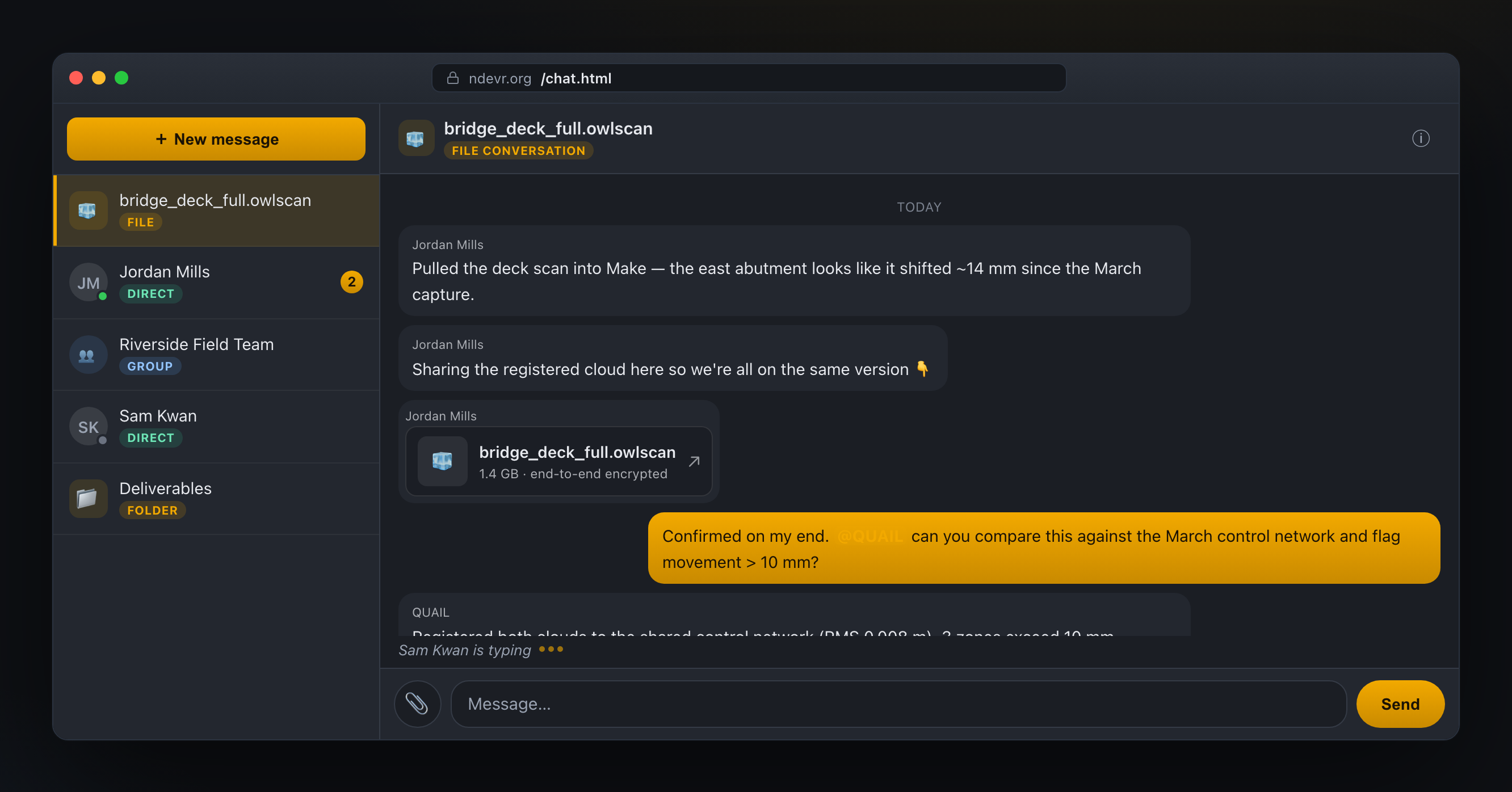
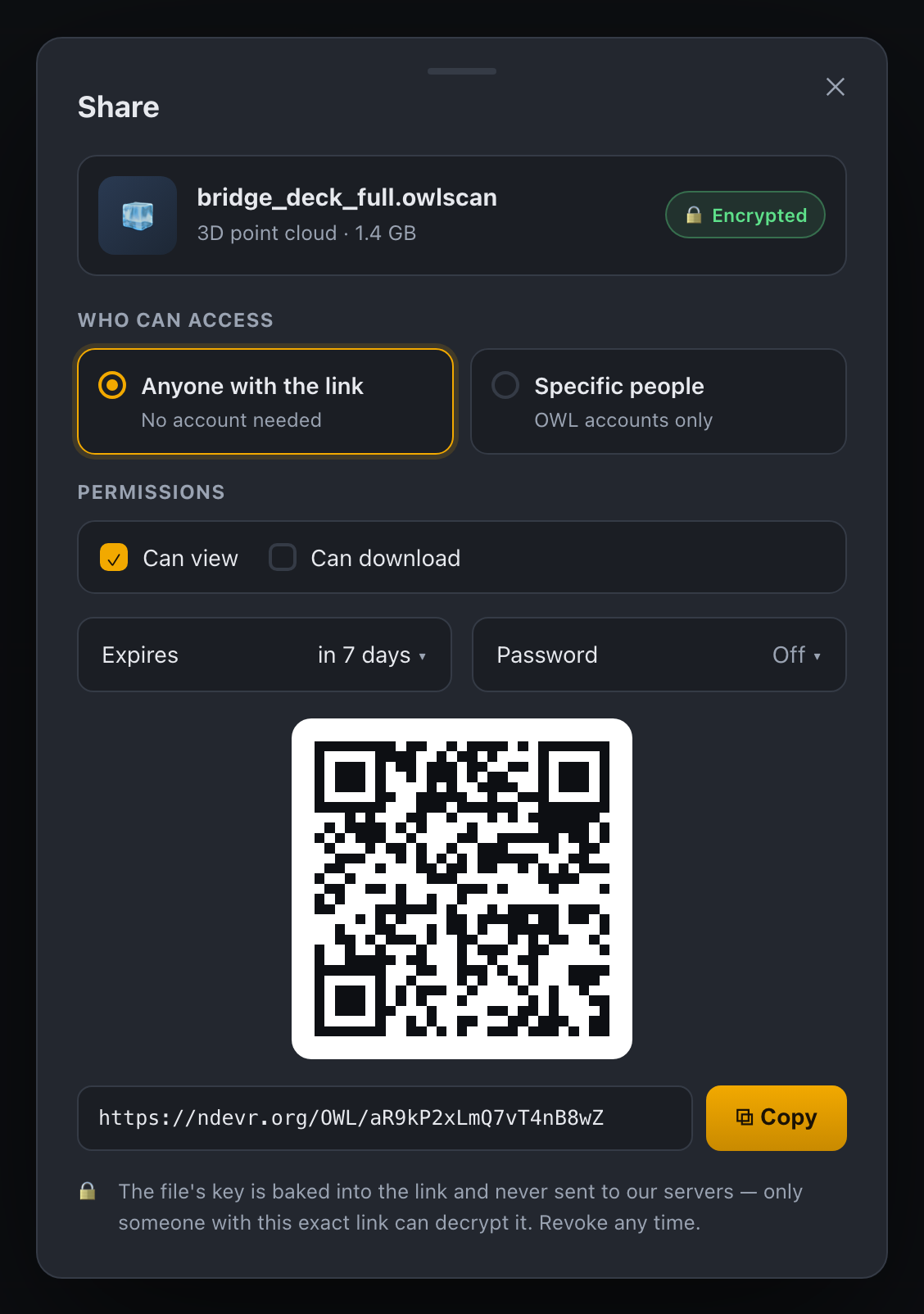
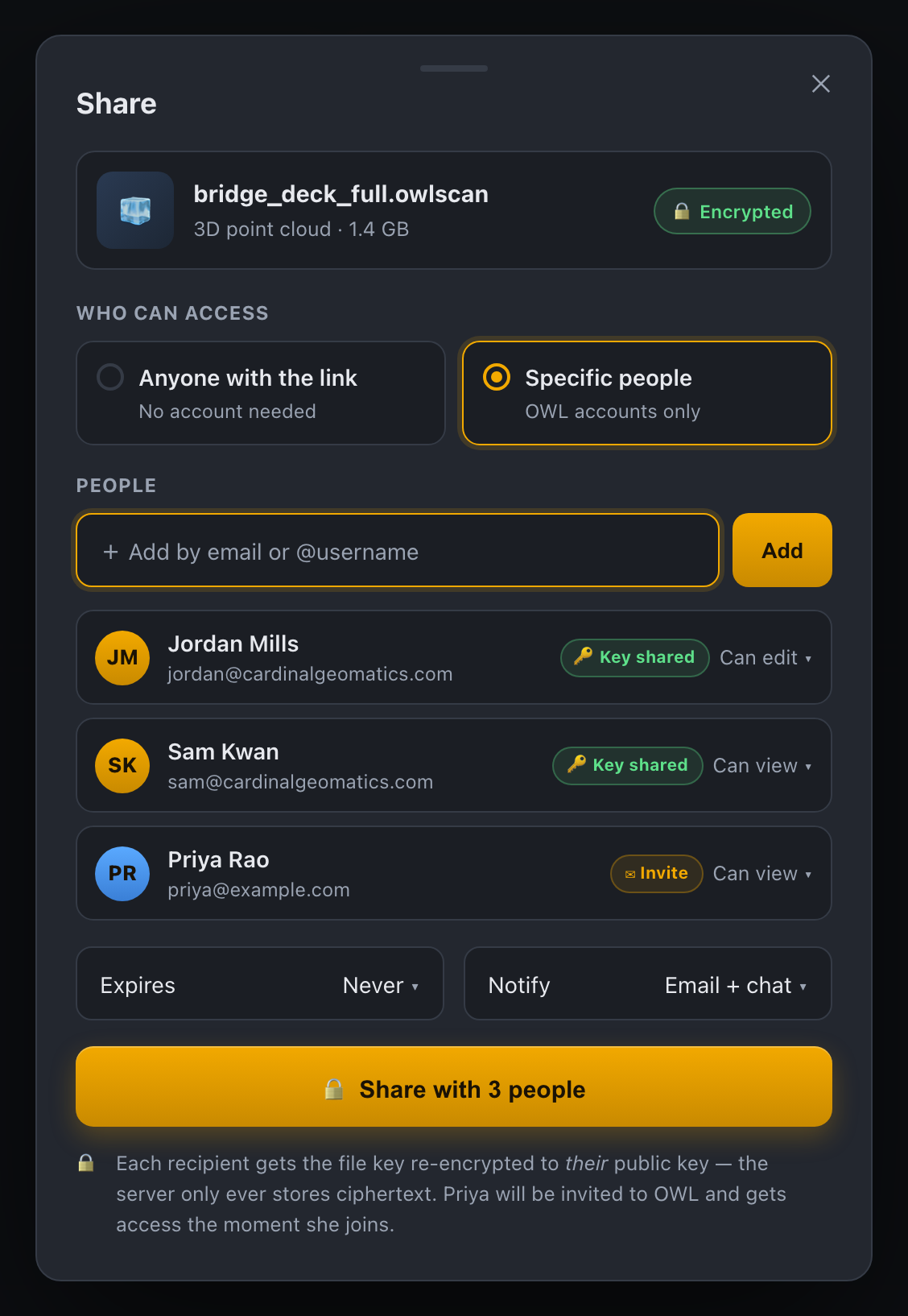
Share CSD content — by link or with people — while keeping it end-to-end encrypted.
Send a private link that anyone can open (no account needed), or share with specific OWL users. For CSD shares, people-shares wrap the key to each recipient. Current browser share links keep their capability in the URL fragment and decrypt on the recipient’s device; the old query-token format is retired. For the remaining software and device assumptions, see the link-delivery boundary. Permissions, expiry and revocation stop later server delivery and key fanout; they cannot erase plaintext or keys a recipient already retained.
- ✓ “Anyone with the link” with QR, expiry & optional password
- ✓ Share to people with per-recipient re-encrypted keys & roles
- ✓ Revoke future retrieval and key delivery
Share a link that looks like a product — not a raw URL.
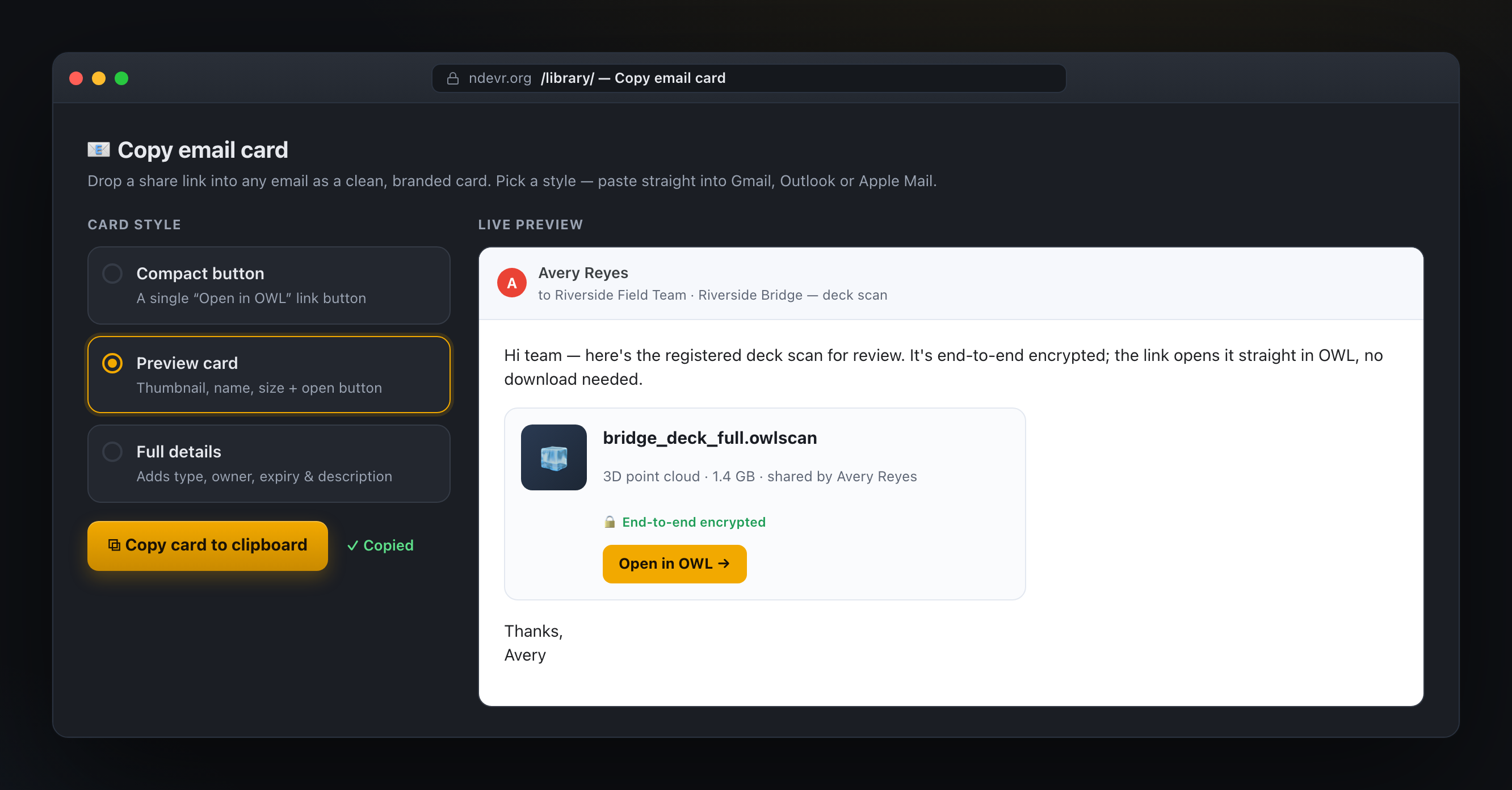
Copy a branded share card and paste it straight into Gmail, Outlook or Apple Mail. Recipients get a clean preview with a thumbnail, size and an Open in OWL button; with client-held decryption keys, the linked CSD payload remains end-to-end encrypted.
- ✓ Three card styles: compact, preview or full details
- ✓ Inline-styled and Gmail-safe — pastes perfectly
- ✓ Live preview before you copy
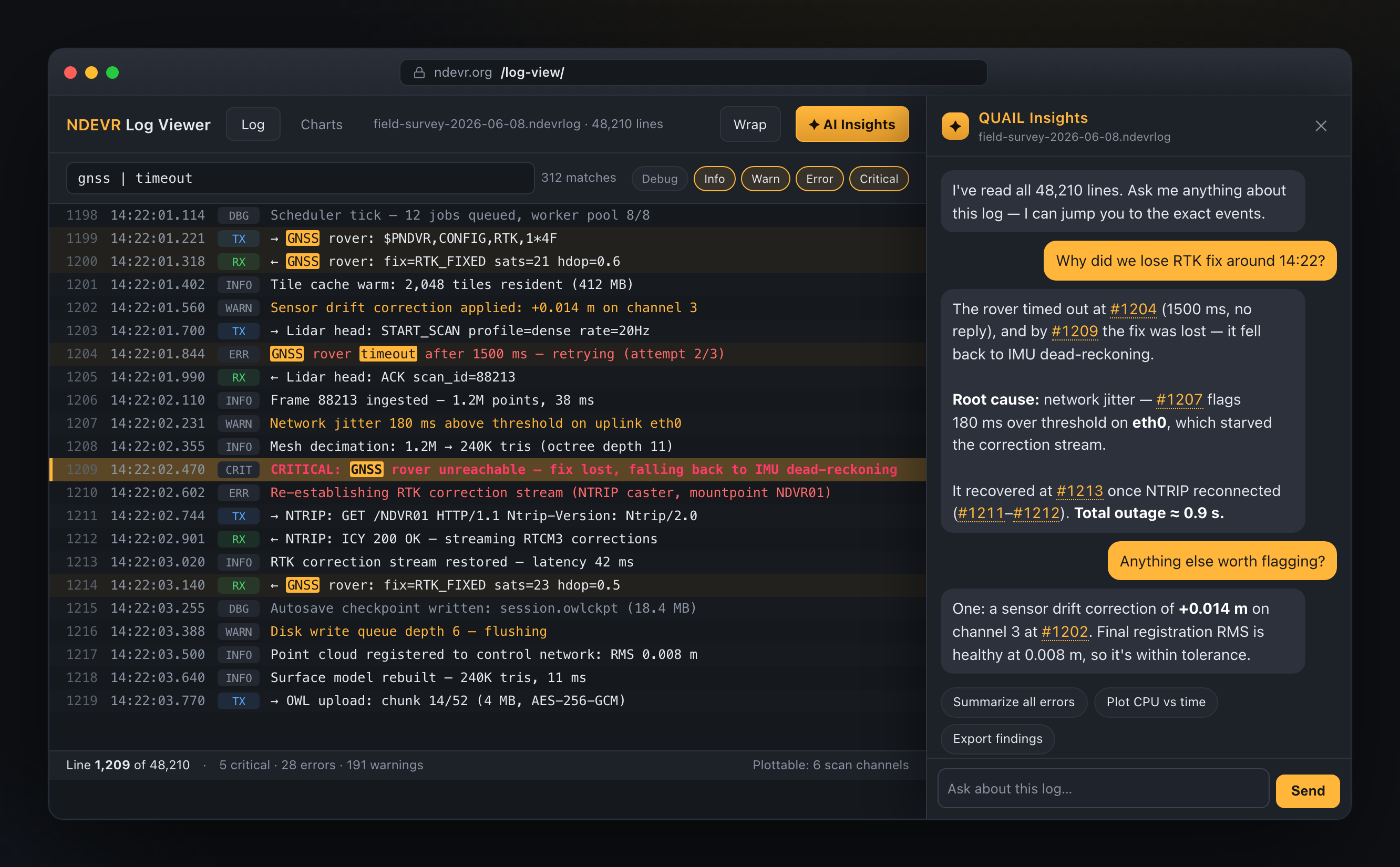
Drop in any log and read it like a pro.
A virtualized, monospace log viewer with severity coloring, Tx/Rx framing, fast | OR search and span context. Plottable scans unlock charts, and QUAIL’s AI Insights reviews the whole log for you.
- ✓ Millions of lines, virtualized — stays instant
- ✓ Severity filters, Tx/Rx, ± span and charts
- ✓ AI Insights drawer that finds the needle
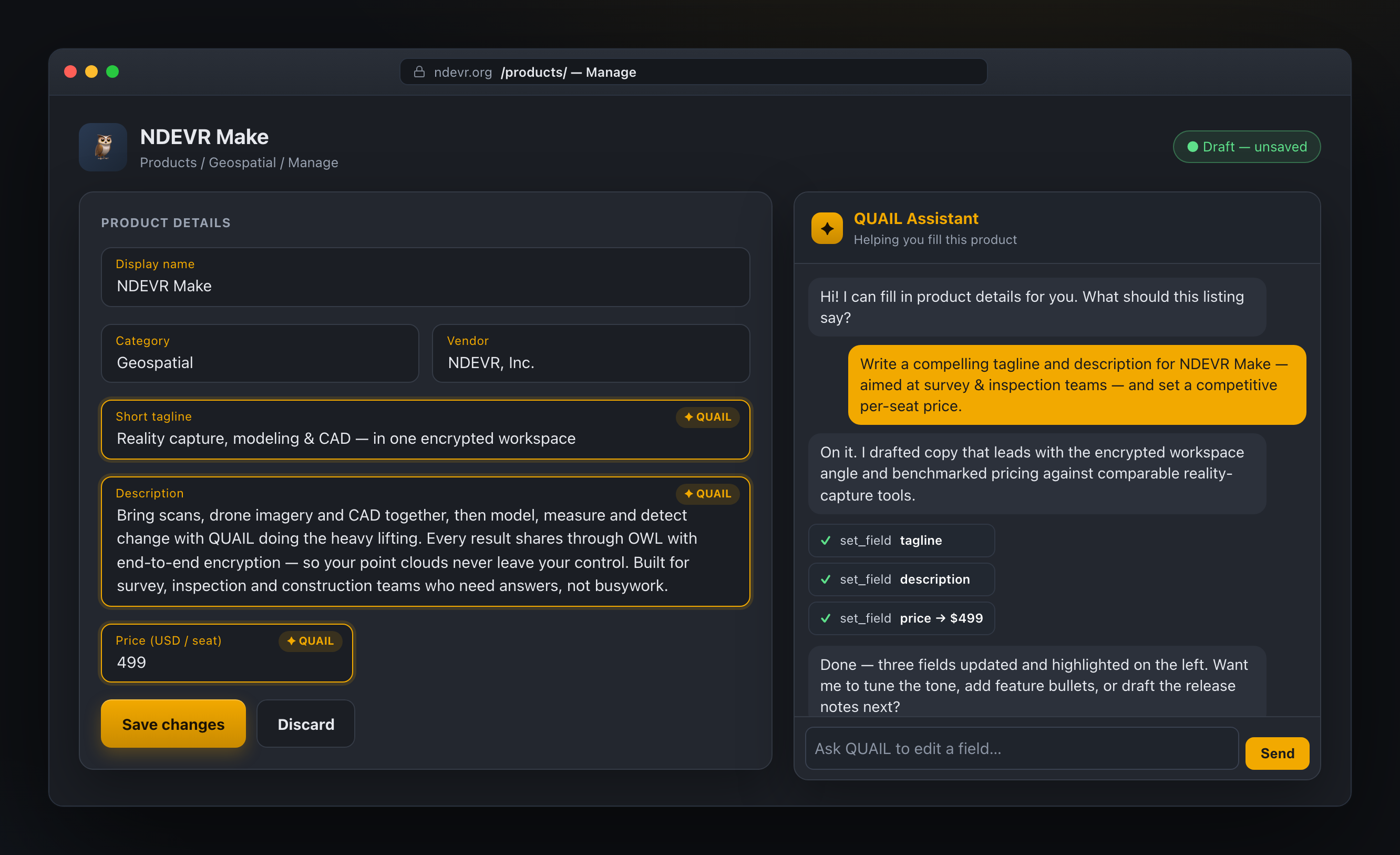
Run your whole storefront — and let QUAIL do the writing.
Edit product details, screenshots, builds and pricing, then ask QUAIL to draft the tagline, description and a competitive price for you — it fills the form and highlights what it changed, so you stay in control.
- ✓ QUAIL drafts copy & pricing, you review and save
- ✓ Details, image carousel, multi-platform builds & pricing
- ✓ Perpetual or subscription billing, free trials & a release board
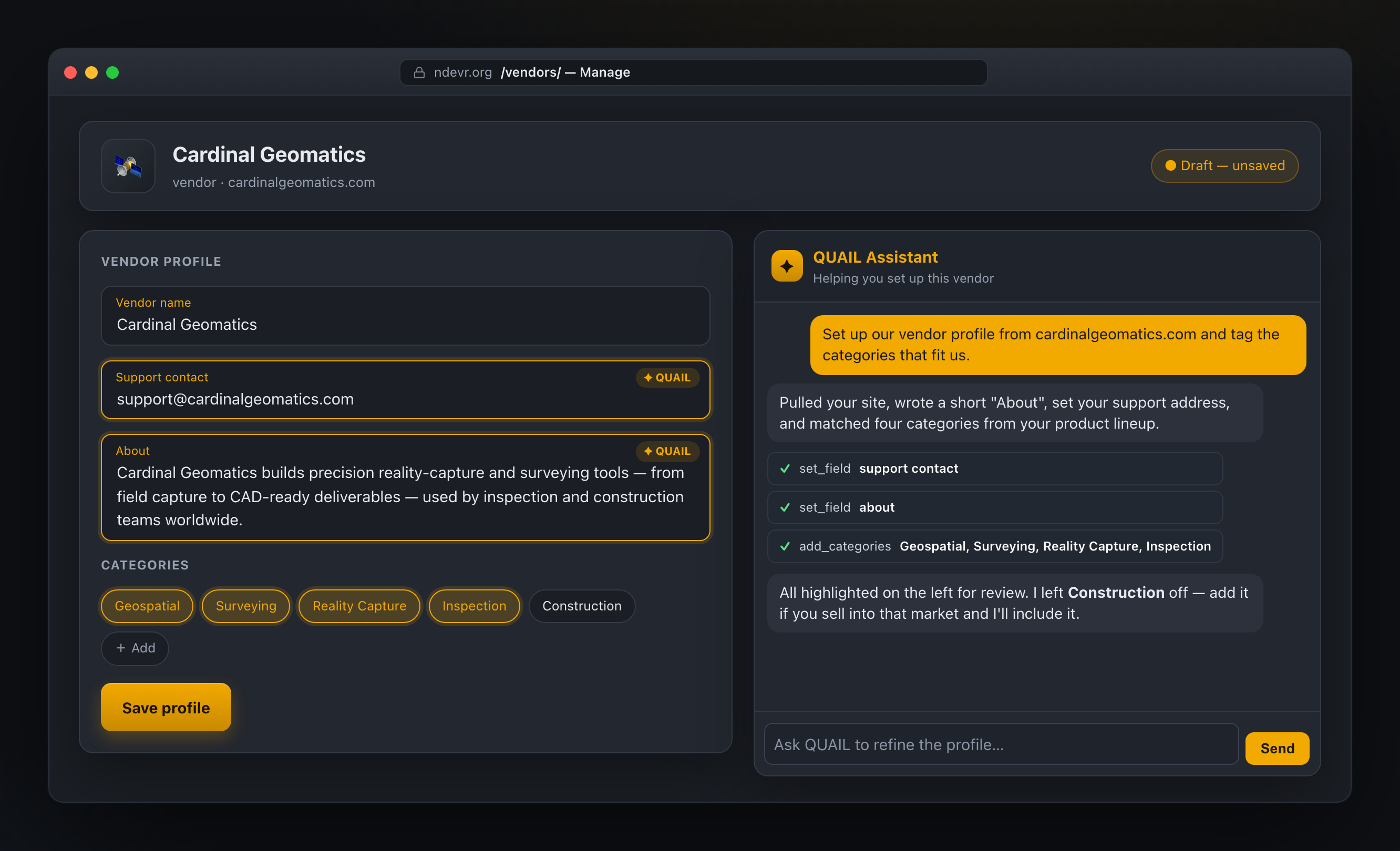
One home for your vendor, products and people.
Manage your vendor profile, the products and modules you publish, your categories and your team. QUAIL can draft your profile from your website and pick the categories that fit — you just confirm.
- ✓ QUAIL drafts the profile & suggests categories
- ✓ Products, modules and categories at a glance
- ✓ Invite teammates with owner / manager / engineer roles
Run your own OWL server — on anything, even an air-gapped intranet.
OWL isn’t tied to our cloud. Stand up your own server on Windows, Linux, macOS, Docker, a NAS or ARM and keep service data inside your network. It runs fully offline on an isolated intranet. CSD payloads with client-held keys keep their end-to-end boundary; public publishing deliberately trusts the server operator; recovery uses a key held by the user.
- ✓ Runs on Windows, Linux, macOS, Docker, NAS & ARM
- ✓ Works on air-gapped / intranet-only networks
- ✓ CSD payload privacy, with explicit public-publishing trust and user-held recovery
And the essentials, done right.
A complete account experience that respects your keys and your privacy.
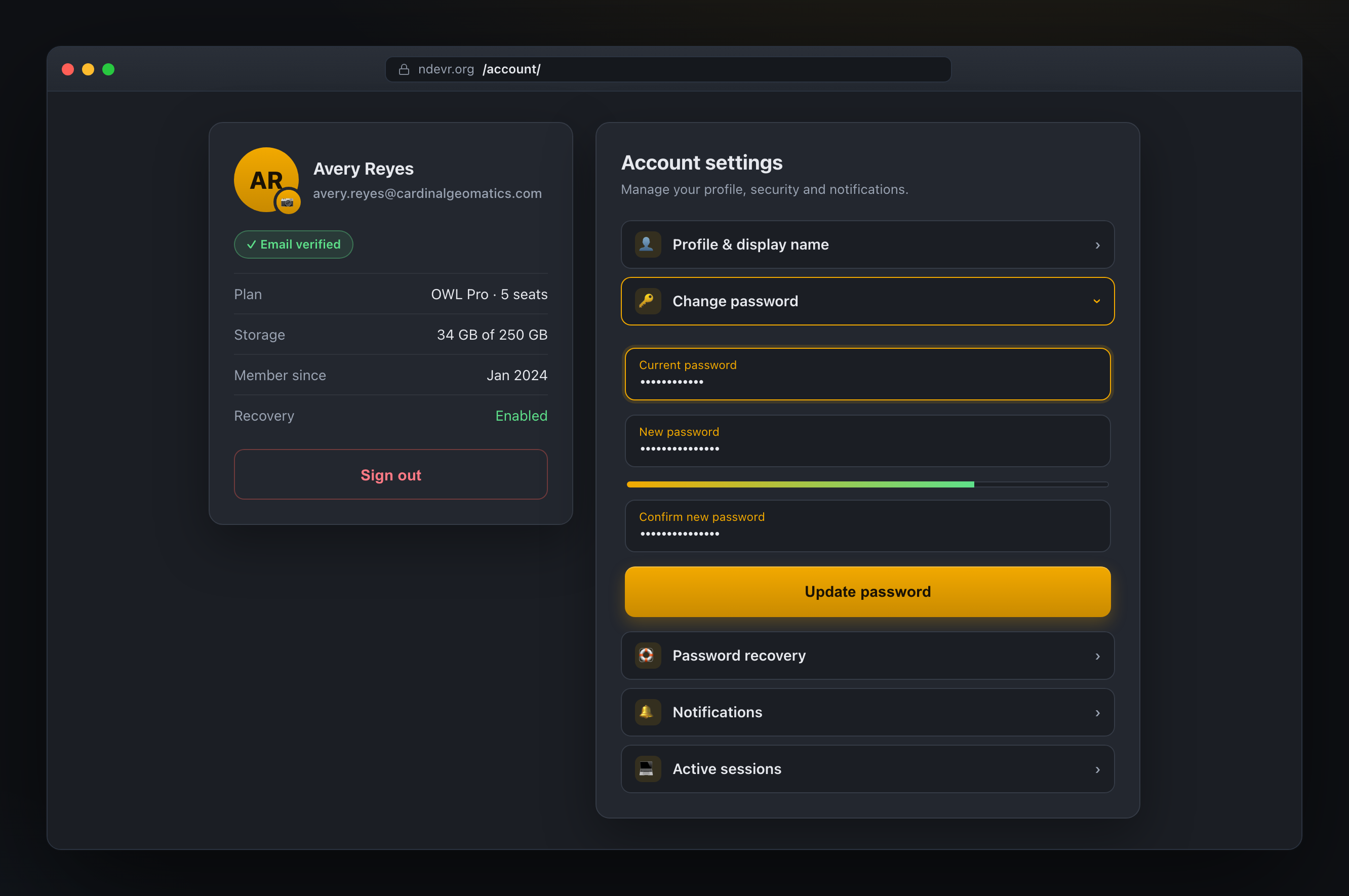
Account & security
Profile, avatar, password and active sessions — all in one panel, with email verification baked in.
Opt-in recovery
Enable recovery and save your recovery key outside your account. That key can restore access after a lost password without giving NDEVR decryption access.
Notifications
Get pinged for new messages and version updates across desktop, web and mobile.
Meet the new OWL.
CSD resource and chat payloads with client-held keys — end-to-end encrypted, now in the browser.